The Complete Pikcha Photo Booth Buyer's Guide: Everything You Need to Know Before Ordering
You are considering spending ₹3.5–₹6.5 lakh on a photo booth. That is a real decision. Before you make it, you deserve to know exactly what you are getting, what you are not getting, and what the first 6 months of ownership actually look like.
This guide answers every question we hear from buyers — including the ones they are afraid to ask. No sales pitch. Just the full picture.
What You Are Actually Buying
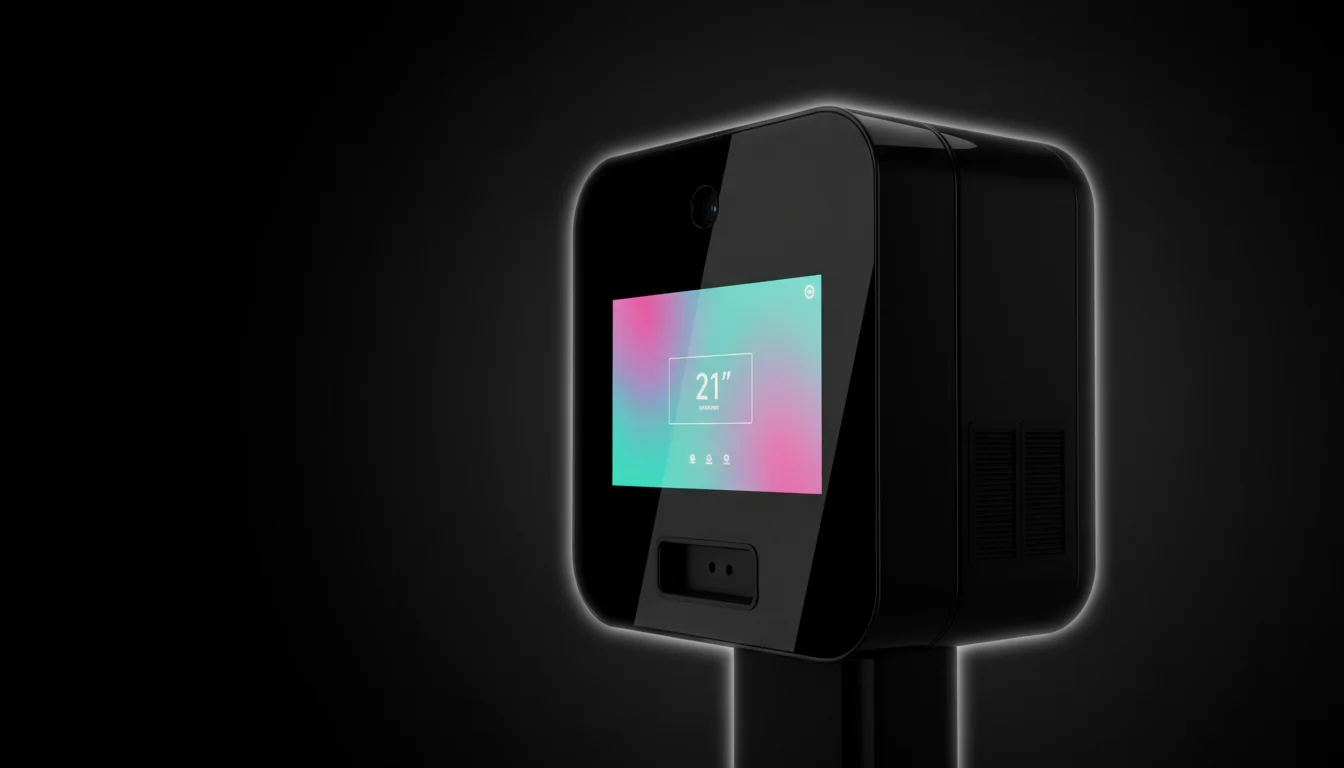
The Pikcha AI Photo Booth is a self-contained, commercial-grade kiosk. One unit. Inside the box:
Hardware:
- 21.5-inch industrial-grade touchscreen (capacitive, designed for thousands of daily touches)
- Professional camera with auto-focus and auto-exposure
- Dye-sublimation printer (photo-lab quality prints, 8–10 seconds per print)
- On-board computer with AI processing engine
- UPI payment module (supports Google Pay, PhonePe, Paytm, BHIM, and all bank UPI apps)
- RFID card reader (for gaming zone token integration)
- Coin acceptor (optional, for coin-operated venues)
- LED ambient lighting (reactive on Studio and Pro tiers)
- Steel frame cabinet with commercial-grade finish
- Power cable and network connectivity (Ethernet port (WiFi/SIM adapter available separately))
Software:
- 200+ AI photo effects (and growing — new effects pushed via remote updates)
- Session management system (payment → effect selection → capture → AI processing → print → WhatsApp delivery)
- Remote operator dashboard (accessible from any browser — phone, tablet, laptop)
- Analytics engine (session counts, revenue, peak hours, popular effects, printer media levels)
- Auto wake/sleep scheduling (matches your venue's operating hours)
What is NOT included (quoted separately):
- Shipping from Delhi to your location
- Wooden crate packaging (for long-distance transport)
- On-site setup assistance (optional — assemble-and-connect self-setup is also possible; the booth arrives ready to operate)
- Running costs depend on your print volume and paper choice. Ask us for the numbers for your venue.
The Three Tiers — What Each One Gets You
Every question of "should I get Lite, Studio, or Pro?" comes down to three things: how the booth looks, how long the warranty is, and how much of YOUR brand goes on the machine.
Pikcha Lite — ₹3,50,000 + 18% GST = ₹4,13,000
The entry tier. For operators testing the market with their first booth.
- Black powder-coat steel cabinet
- Standard 21.5" touchscreen
- Standard camera
- Fixed ambient lighting
- 200+ AI effects (same as Studio and Pro)
- Built-in UPI + RFID + coin
- 1-year warranty
- Email/phone support, 48-hour SLA
- Photo output: 100% Pikcha.ai branded frames
Who this is for: First-time buyers. Salaried employees starting a side business. Operators who want to prove the model at one location before investing more. If you are not sure this will work, start here — the Lite gives you the full technology at the lowest capital.
Pikcha Studio — ₹4,50,000 + 18% GST = ₹5,31,000
The commercial tier. For operators who are serious about permanent installations.
- Silver chrome cabinet (visually premium — attracts more foot traffic)
- 21.5" industrial-grade touchscreen (higher brightness, better in sunlit atriums)
- 4K camera (sharper photos, better AI input)
- Dynamic reactive ambient lighting (responds to session stages — attracts attention)
- 200+ AI effects
- Built-in UPI + RFID + coin
- 1-year warranty
- Email/phone support, 24-hour SLA
- Photo output: 80% your brand / 20% "Powered by Pikcha.ai"
- 3 free frame design changes per year
Who this is for: Mall operators targeting premium locations. Hotels and resorts. Gaming zone chains. Operators who want the booth to look like a premium attraction, not just a kiosk.
Pikcha Pro — ₹6,50,000 + 18% GST = ₹7,67,000
The white-label tier. For operators building their own brand.
- Everything in Studio, plus:
- Custom cabinet wrap (any colour, any design)
- Custom-branded UI (your logo, your colour scheme, your startup screen)
- Custom workflow (up to 3 distinct session flows)
- Custom reactive lighting colours
- 1-year warranty
- WhatsApp priority support, 4-hour SLA
- Photo output: 100% your brand (full white-label — no Pikcha branding anywhere)
- Unlimited frame design changes
- Dedicated account manager
- Downtime loaner (a replacement unit shipped to you during repairs)
No minimum order — single units welcome. Per unit: ₹6,50,000 + GST = ₹7,67,000.
Who this is for: NRIs building a multi-city network. Franchise operators who want their own brand. Hotel chains deploying across properties. Anyone ordering 3+ booths who wants the machines to carry their identity, not ours.
What Happens After You Order
This is the part most buyers worry about and no manufacturer explains. Here is the actual timeline:
Day 1–3: Order Confirmation
You contact us via WhatsApp, phone, or the website. We discuss:
- Which tier fits your plan
- Your target location and city
- Any customisation needs (Pro tier)
- Payment terms: 50% advance, 50% before dispatch
Once confirmed, your booth enters the production/preparation queue.
Day 4–14: Manufacturing and Quality Check
For Lite and Studio (standard config): 7–14 days from advance payment to dispatch-ready. We assemble the unit, load the software, test all components (screen, camera, printer, UPI, effects), and run a 24-hour burn-in test.
For Pro (custom): 14–21 days. Additional time for cabinet wrapping, UI customisation, and workflow configuration.
Day 15–21: Shipping
- Within Delhi NCR: Same-day or next-day delivery by our logistics team.
- Rest of India (metro cities): 3–7 days via surface transport in wooden crate packaging.
- Remote locations / international: 7–14 days. We coordinate shipping and provide tracking.
You receive: the booth (crated), a setup guide, consumables starter kit (if purchased), and login credentials for the operator dashboard.
Day 21–22: Setup
Self-setup (most common): Unbox the 3 pieces. Follow the instruction video to assemble (like IKEA furniture). Plug into 15A power socket. Connect ethernet cable to your internet router. Power on. The booth auto-configures and is ready for sessions. Total assembly + setup time: 60–90 minutes. No special tools required.
Assisted setup (optional): Our engineer flies to your city (flights ex-Delhi + ₹2,500/day). They handle placement, connectivity, and walk you through the dashboard. Setup takes 1–2 hours. Most buyers do not need this — the assemble-and-connect design makes self-setup straightforward.
Day 23–30: First Week of Operations
Your booth is live. Here is what the first week typically looks like:
- Day 1–2: 10–20 sessions. Customers are discovering the booth. You are learning the dashboard.
- Day 3–5: 20–35 sessions. Word spreads. People who saw friends' WhatsApp photos come looking for the booth.
- Day 6–7 (first weekend): 40–70 sessions. Weekend traffic delivers your first real revenue day.
By end of week 1, most operators have earned ₹10,000–₹25,000 in gross revenue. Not life-changing yet — but the proof of concept is established.
Starting a Photo Booth Business?
Get AI photo booth pricing and ROI details from our team. No obligation.
Month 1–3: Ramp-Up
Sessions build as awareness grows. Social media sharing creates a flywheel: every guest who shares their AI photo on WhatsApp or Instagram is marketing your booth for free.
Typical month 1 gross: ₹70,000–₹1,50,000.
Typical month 3 gross: ₹1,20,000–₹2,50,000.
By month 3, you have a clear picture of your steady-state revenue and know whether the location is working.
Month 4–6: Optimisation
You know your peak days (weekends, festivals), your best-performing effects, and your optimal pricing. Venues typically charge guests ₹149 to ₹299 per session. Some operators adjust their price based on demand. Some add a second booth at a new location. The dashboard data guides every decision.
Month 6+: Steady State
The booth is now part of the mall's ecosystem. Regulars return for new effects. Seasonal spikes (Diwali, Christmas, Valentine's Day, summer holidays) boost revenue 30–60% above baseline. Your weekly involvement: 2–4 hours (restocking + dashboard check).
Maintenance: What Breaks and What It Costs
Let us address the fear directly: "What if it breaks?"
What Needs Regular Attention
| Task | Frequency | Time | Cost |
|---|---|---|---|
| Restock print paper + ribbon | Every 1–2 weeks (at 40–50 sessions/day) | 15 min | On request |
| Clean touchscreen | Weekly | 5 min | ₹0 (microfibre cloth) |
| Clean camera lens | Monthly | 2 min | ₹0 |
| Software updates | Automatic (pushed remotely) | 0 min | ₹0 |
What Rarely Breaks (But Can)
| Issue | Frequency | Resolution | Cost |
|---|---|---|---|
| Printer paper jam | 1–2 per month | Clear jam, reload paper (self-service, 5 min) | ₹0 |
| Touchscreen calibration drift | Rare | Remote recalibration via dashboard | ₹0 |
| Printer head replacement | Every 12–18 months | Replacement part shipped, self-install or engineer visit | Covered under AMC |
| Camera focus issue | Rare | Remote diagnosis → part replacement if needed | Covered under warranty/AMC |
| Payment module glitch | Very rare | Remote restart or firmware update | ₹0 |
The AMC (Annual Maintenance Contract)
After your warranty period ends (6 months for Lite, 1 year for Studio or Pro), Pikcha requires a mandatory AMC at 9.5% of base price per year:
| Tier | AMC Cost/Year | What It Covers |
|---|---|---|
| Lite | ₹33,250/year (after the 6-month warranty) | Software updates, remote support, parts replacement, priority service |
| Studio | ₹42,750/year (from Year 2) | Same + extended SLA |
| Pro | ₹61,750/year (from Year 2) | Same + dedicated AM + downtime loaner |
If AMC is not renewed: The booth continues to operate, but software updates stop and support is not available. After a 30-day grace period, certain features may be restricted. Renewal is required for full operation.
Is the AMC worth it? At ₹33,250/year (Lite), the AMC costs less than one week of revenue. A single printer head replacement (₹8,000–₹12,000 if purchased independently) makes the AMC pay for itself. Most operators view it as operating insurance.
The Real Costs — Total Cost of Ownership Over 3 Years
This is the number that matters: not the sticker price, but what the booth costs to own and operate over its productive life.
Pikcha Lite — 3-Year TCO
| Year | Cost | Cumulative |
|---|---|---|
| Year 1: Purchase + GST | ₹4,13,000 | ₹4,13,000 |
| Year 1: Consumables (print media, ~40 sessions/day) | On request | On request |
| Year 1: Mall rent (₹25,000/month avg) | ₹3,00,000 | ₹8,39,000 |
| Year 1: Electricity + internet | ₹30,000 | ₹8,69,000 |
| Year 2: AMC | ₹33,250 | ₹9,02,250 |
| Year 2: Consumables + rent + utilities | On request | On request |
| Year 3: AMC | ₹33,250 | ₹13,91,500 |
| Year 3: Consumables + rent + utilities | On request | On request |
| 3-Year Total Cost | ₹18,47,500 |
3-Year Revenue (Conservative: 40 sessions/day avg, ₹149/session)
| Year | Revenue | Cumulative |
|---|---|---|
| Year 1 | ₹21,45,600 | ₹21,45,600 |
| Year 2 | ₹21,45,600 | ₹42,91,200 |
| Year 3 | ₹21,45,600 | ₹64,36,800 |
3-Year Net Profit: ₹64,36,800 − ₹18,47,500 = ₹45,89,300.
That is ₹45.9 lakh net profit over 3 years on a ₹4.13 lakh initial investment. A 1,111% return.
Even at half this performance (20 sessions/day), the 3-year net profit is ₹13.8 lakh — still a 334% return.
9 Questions to Ask ANY Photo Booth Manufacturer
Use this checklist when evaluating Pikcha or any competitor. A good manufacturer answers all 9 without hesitating.
- What AI effects are included, and how many? (If the answer is "filters" or "overlays," it is not AI.)
- Is UPI payment built into the hardware? (External UPI add-ons are unreliable and create friction.)
- What is the warranty period? (Under 1 year = red flag for commercial-grade equipment.)
- What does the AMC cover, and is it mandatory? (No AMC option = no long-term support commitment.)
- Can I see the remote dashboard before buying? (If there is no dashboard, you cannot manage the booth remotely.)
- What is the delivery timeline from order to operational? (Over 30 days = capacity or quality issues.)
- Do you offer white-label branding? (Important if you are building your own brand.)
- What are the print consumable costs per print? (This is your largest ongoing expense — you need a clear number.)
- Can I call a current operator as a reference? (Reluctance = no happy customers.)
How to Order
Step 1: Contact Bamigos via WhatsApp (+91-8310204172), phone, or the website form. Tell us your city, your target venue type (mall, hotel, event, gaming zone), and which tier interests you.
Step 2: We send you a formal quote with tier pricing, shipping cost to your city, and estimated delivery timeline.
Step 3: You confirm. Pay 50% advance via bank transfer.
Step 4: We build/prepare your booth (7–21 days depending on tier and customisation).
Step 5: Balance payment. We ship.
Step 6: You receive, set up (60–90 minutes), and go live. First revenue: same day.
Get a quote → | See pricing → | Calculate your ROI →
Buying a booth? See AI photo booths for sale — direct from the maker, worldwide.
Explore Bamigos.com Photo Booth Products
- AI Photo Booth India — Pikcha is India's flagship AI photo booth: 200+ effects, UPI payments, designed and manufactured in Delhi since 2022.
- Photo Booth Machines in India — commercial-grade units from ₹3.5 lakhs with full specs, pricing tiers, and ROI math.
- AI Selfie Booth for Events — brand activations, trade shows, college fests, weddings; UPI-native, instant sharing.
- Korean Photo Booth India — 4-cut strip frames, studio lighting, K-culture aesthetic for Gen-Z venues.
- Photo Booth Franchise / Business Opportunity — own a Pikcha outright; no franchise fee, no royalty, no territory lock-in.