Interactive Floor forAutism & Special Needs
Sensory-friendly projection games with adjustable stimulation levels. Designed for therapy centers, special schools, and sensory rooms.
Note: Interactive floor projection is a tool that therapists and educators can incorporate into their programs. It is not a standalone therapy or treatment. We recommend consulting with occupational therapists or special education professionals for guidance on integration.
Floor Projection Game Footage
Examples from the floor projection game library.
Sensory-Friendly Features
Designed with input from therapy professionals for flexibility and control
Adjustable Audio
Sound can be muted entirely or adjusted. Some children prefer silent mode while others benefit from audio feedback.
Visual Modes
Calming nature scenes, gentle colors, or more vibrant games. Select based on individual sensory preferences.
Cause & Effect
Simple interactions where stepping or touching creates immediate visual responses. Builds understanding of cause-and-effect.
Visual Tracking
Games with slow-moving elements can support visual tracking skills development.
Cognitive Games
Sorting, matching, and sequencing games adapted for different ability levels.
Calming Modes
Underwater scenes, floating clouds, gentle ripples - for relaxation and de-escalation.
Game Categories
Different modes for different needs and goals
Calming & Sensory
- Ocean waves
- Floating clouds
- Gentle rain
- Fish pond
- Butterfly garden
Cause & Effect
- Stepping stars
- Ripple effects
- Bubble pop
- Flower bloom
- Paint splash
Motor Skills
- Follow the path
- Stepping stones
- Target reach
- Ball kick
- Shape walk
Cognitive
- Color matching
- Shape sorting
- Number steps
- Pattern follow
- Memory tiles
Where It's Used
How Therapists Use It
Select Mode
Choose calming, active, or cognitive games based on session goals and individual needs.
Adjust Settings
Control sound, brightness, and game speed. Start gentle and increase stimulation as comfortable.
Engage & Observe
Use as part of therapy activities. Observe responses and adjust approach accordingly.
Frequently Asked Questions
How can interactive floor projection help children with autism?
Interactive floor projection provides controlled sensory experiences that therapists and educators can adjust. Features include calming visual modes, cause-and-effect games that encourage engagement, adjustable sound levels, and activities that can support motor skills development. Many therapy centers use it as a tool within broader intervention programs.
Can the stimulation level be adjusted for sensory sensitivities?
Yes, our system includes multiple modes: calming nature scenes with minimal stimulation, gentle cause-and-effect games, and more active games for when appropriate. Sound can be muted or adjusted. Brightness and color intensity can be controlled. Therapists can select games based on individual needs.
Is this suitable for sensory rooms?
Yes, interactive floor projection is commonly installed in sensory rooms alongside other equipment. It can serve as a floor-based sensory station providing visual and proprioceptive input. The projection responds to movement, creating cause-and-effect experiences that many children find engaging.
What venues use interactive floors for special needs?
Common installations include autism therapy centers, special education schools, occupational therapy clinics, pediatric hospitals, rehabilitation centers, inclusive play areas, and dedicated sensory rooms in schools and community centers.
See the Games Before You Decide
Real footage from our floor systems: the same titles many facilities start with, from calm and ambient to gently structured.
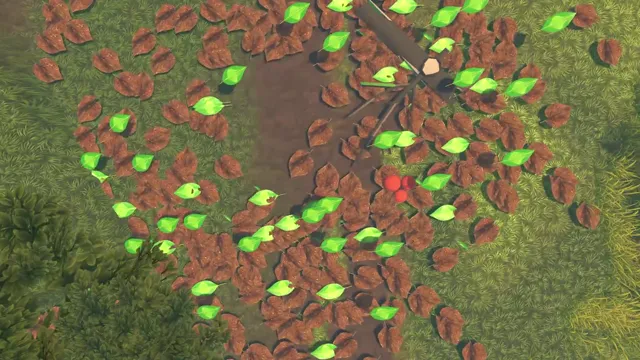
Leaf
Calm, ambient play: autumn leaves drift and scatter with every step. No score, no timer, no pressure.
Hopscotch
The familiar stapu layout with gentle sparkle feedback: structure and predictability built in.
Lava
Step between glowing stepping stones: clear cause-and-effect with bright, readable visuals.
Need a Game Built Around Your Program? We'll Make It.
Our games are designed and coded in-house in New Delhi. If your therapists need something specific: slower pacing, particular colour palettes, a routine your children already know. We can build a custom game around it rather than asking you to adapt to off-the-shelf software.
Discuss a Custom Sensory Game2 Tiers from ₹2,30,000
Same 2 tiers for floor and wall projection. Pick the bundle that fits your venue and budget.
Turnkey Pro
Turnkey Pro ST
Pan-India installation ₹25,555 + GST. All prices exclusive of GST (18%). Prices are indicative and subject to change without notice based on input costs, component availability, and other expenses. This does not constitute a binding offer.
Discuss Your Requirements
Every facility has different needs. Let's discuss how interactive floor projection could work for your therapy center or school.